CalAicalai.elenachoo.com
2026 – present
Never miss an important event again. Upload (small) pdf documents, extract important dates and download them as calendar events.
Progress updates
May 24, 2026
Setup:
- Next.js full-stack monolith — React frontend + API routes in one repo.
- LLM: groq-sdk, Llama 3.1 - Using this because it's free and the cheapest. Model upgrades might come later if required.
Starting flow:
- User uploads a single file
- For the uploaded file, use
PDFParselibrary to extract the text from the PDF - Pass in the text to the LLM.
Cases to handle later on:
-
Uploading multiple files: Just need to handle n cases. Should be pretty straightforward.
-
Large PDFs: Given that I am using the free model, I can only process smaller pdfs with fewer than 1000 words given the token size limitations.
Possible solutions I haven't experimented with, might play around later:
- Filter the text extracted from the pdf easily so I don't have to pass the entire block of text to the LLM.
- Split up the text into blocks of 1000 characters since I am mostly extracting calendar events and I don't really need the entire text context
- Use a larger model (more expensive, not ideal for a personal use project)
The ideal request would be:
curl -X POST http://localhost:3000/api/extract \
-H "Content-Type: application/json" \
-d '{"fileUrls":["https://slicedinvoices.com/pdf/wordpress-pdf-invoice-plugin-sample.pdf"]}'
with the following response:
{
"calendar_items":[
{
"start_date_time":"2016-01-25T00:00:00Z",
"end_date_time":"2016-01-25T00:00:00Z",
"estimated_duration":0,
"title":"Payment Due",
"description":"Payment due for invoice INV-3337",
"contact_number":"admin@slicedinvoices.com"
},
{
"start_date_time":"2016-01-31T00:00:00Z",
"end_date_time":"2016-01-31T00:00:00Z",
"estimated_duration":0,
"title":"Late Payment Fee",
"description":"Late payment fee for invoice INV-3337","contact_number":"admin@slicedinvoices.com"
}
]
}
After which next step will be to find out how I can add these to my google calendar easily (in one batch). And the build the client side for this (and I am very excited to do this!)
May 29, 2026
The user workflow I am thinking of is going to be something like this:
1a. User uploads file(s) -> Store files in my storage S3 buckets. On the client side, S3 bucket returns url(s) OR user
1b. User uploads files(s) -> Sends file in memory to the server via multipart POST to be processed as a Buffer
2. User clicks a button to 'extract' the information -> Probably a synchronous call for now since it's a simple pdf to text extraction + limited text sent to the LLM so I don't expect it to take more than 30 seconds.
3. Once the information is returned, display it for the user
4. User gets to decide if they want to add individual events or in batches (select multiple)
I wasn't sure if I wanted to setup the integrations and services individually first before piecing the different services together later on. It does make it easier to piece the services and integrations together once the pieces are all built out and tested. But setting up Google OAuth is not the most fun thing to do.
Poking around the documentation, a google calendar Event object seem to be pretty extensive already for what I need.
{
"kind": "calendar#event",
"etag": etag,
"id": string,
"summary": string,
"description": string,
"location": string,
"start": {
"date": date,
"dateTime": datetime,
"timeZone": string
},
"end": {
"date": date,
"dateTime": datetime,
"timeZone": string
},
"endTimeUnspecified": boolean,
"originalStartTime": {
"date": date,
"dateTime": datetime,
"timeZone": string
},
"source": {
"url": string,
"title": string
},
"attachments": [
{
"fileUrl": string,
"title": string,
"mimeType": string,
"iconLink": string,
"fileId": string
}
],
"eventType": string
}
Jul 8, 2026
Came back from a nice and short trip to Singapore and now that I am back in SF, I'll have more time to continue this!
I read about importing events on google calendar recently and recalled that when I looked at my flight bookings online, there was sometimes an option to import the flight details to the google calendar. In some of these cases it was just downloading an ics event. I'm not the biggest fan of such an inconvenient way of importing events tbh but I think it's a good way to start. We'll see how much it annoys me until I decide to set google oauth up properly to connect it to my gcal.
.ics events are basically blobs of content in the iCalendar format (with the type 'text/calendar') so it is extremely easy to deal with for a prototype. Once we have the blob, we can simply call createObjectURL on the blob to get the url which will be downloaded upon clicking the button to download the event.
Here's a video of a working prototype I have at the moment. The extraction works for simpler (and shorter) documents but having the ability to edit the .ics events does help fix any incorrect extractions.
Jul 11, 2026
I was testing on a very simple text pdf file that I generated on my own.
This was the text that was generated from pdfParse:
Application for Renovation Works
To : Condominium Manager
Part 1 : To be completed by Subsidiary Proprietor / Tenant
Unit #12-32 Apartment 123
I / We hereby authorised our Contractor __Company name / Mike of Design Company XYZ to
undertake our renovation works at our above premises commencing from 10 June 2026 to 12
June 2026 .
Telephone: +1 4282819283
Part 1 : To be completed by Subsidiary Proprietor / Tenant
Unit #12-32 Apartment 123
I / We hereby authorised our Contractor Company name / Carpenter Company ABC to
undertake our renovation works at our above premises commencing from 16 June 2026 to 18
June 2026 .
Telephone: +1 4282819283
Using the llama-3.1-8b-instant model, the output was:
result {
calendar_items: [
{
start_date_time: '2024-06-10T00:00:00Z',
end_date_time: '2024-06-12T00:00:00Z',
estimated_duration: 1440,
title: 'Renovation Works',
description: 'Unit #12-32 Apartment 123',
contact_number: '+1 4282819283'
},
{
start_date_time: '2024-06-16T00:00:00Z',
end_date_time: '2024-06-18T00:00:00Z',
estimated_duration: 1440,
title: 'Renovation Works',
description: 'Unit #12-32 Apartment 123',
contact_number: '+1 4282819283'
}
]
}
This was not acceptable with the year being totally wrong.
Updating the model to llama-3.3-70b-versatile, the response looked much better:
result {
calendar_items: [
{
start_date_time: '2024-06-10T00:00:00Z',
end_date_time: '2024-06-12T00:00:00Z',
estimated_duration: 1440,
title: 'Renovation Works',
description: 'Unit #12-32 Apartment 123',
contact_number: '+1 4282819283'
},
{
start_date_time: '2024-06-16T00:00:00Z',
end_date_time: '2024-06-18T00:00:00Z',
estimated_duration: 1440,
title: 'Renovation Works',
description: 'Unit #12-32 Apartment 123',
contact_number: '+1 4282819283'
}
]
}
However, when I used llama-3.1-8b-instant and updated the prompt to be more concise for extracting events and explicitly mentioned not to change the dates, it actually worked better than llama-3.1-8b-instant with the following response:
result {
calendar_items: [
{
start_date_time: '2026-06-10T00:00:00',
end_date_time: '2026-06-12T00:00:00',
estimated_duration: 0,
title: 'Renovation — Design Company XYZ',
description: 'Unit #12-32 Apartment 123',
contact_number: '+1 4282819283'
},
{
start_date_time: '2026-06-16T00:00:00',
end_date_time: '2026-06-18T00:00:00',
estimated_duration: 0,
title: 'Renovation — Carpenter Company ABC',
description: 'Unit #12-32 Apartment 123',
contact_number: '+1 4282819283'
}
]
}
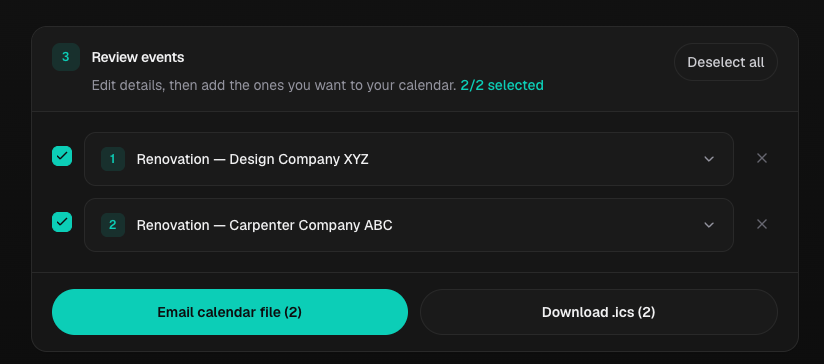
Cleaned up the UI a little to allow deleting of events as well and added an accordion style component so we can expand and collapse each event.
Also tested with a document with multiple events and it worked pretty well!
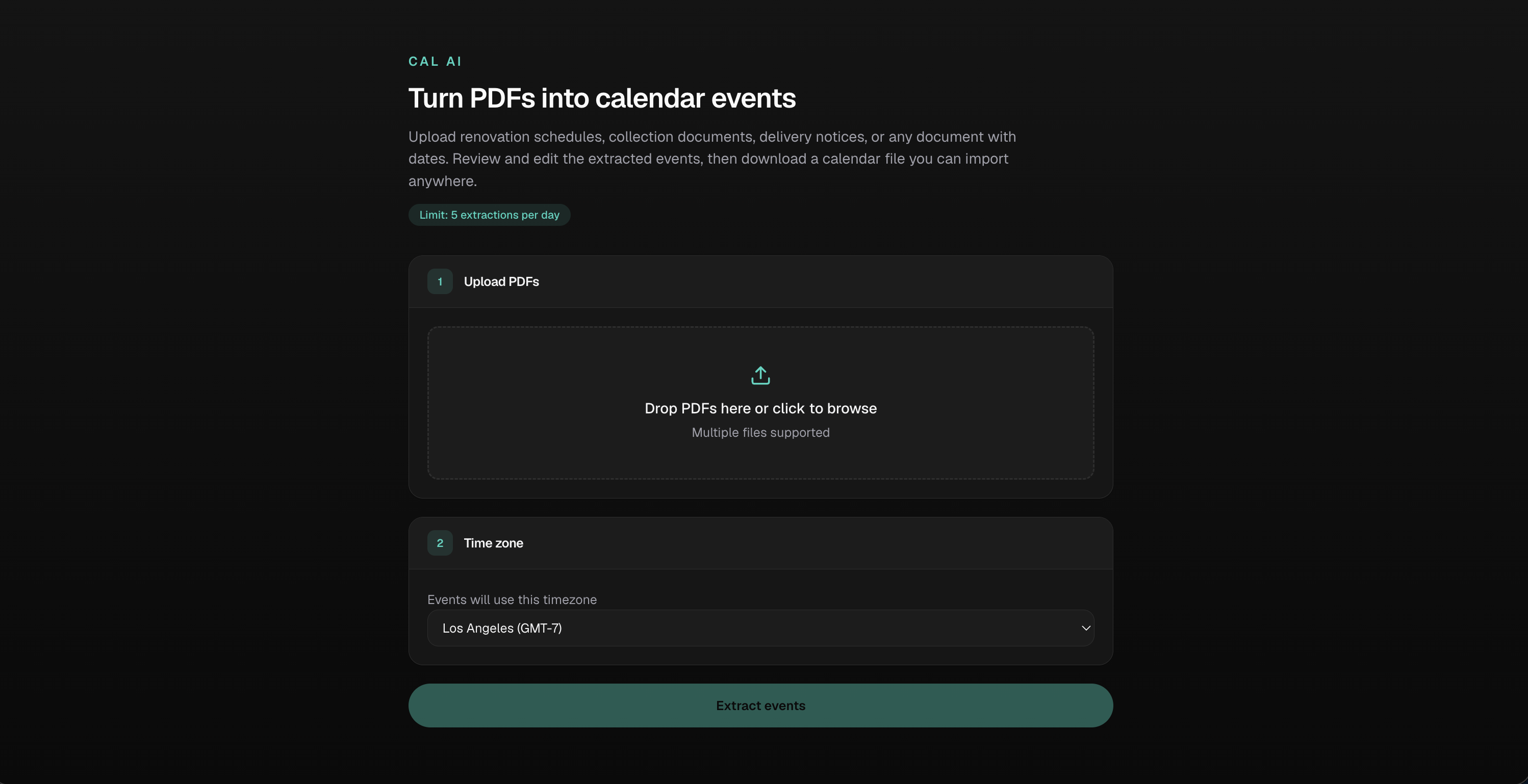
Here's what it looks like now!
I also hosted it on a subdomain https://calai.elenachoo.com/
Jul 13, 2026
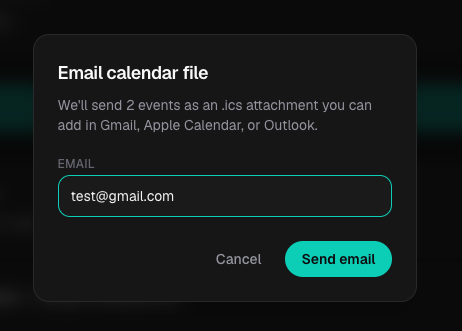
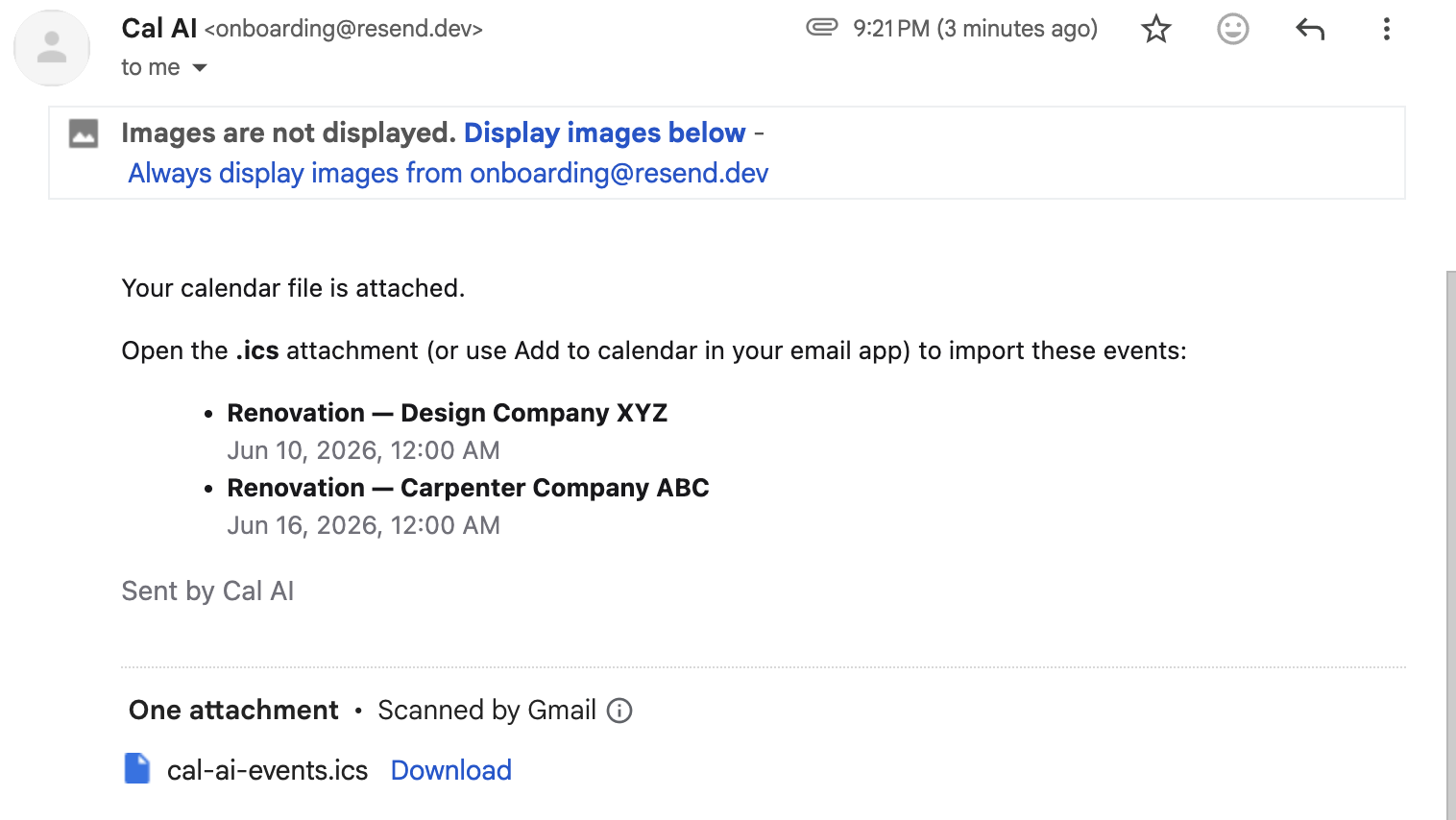
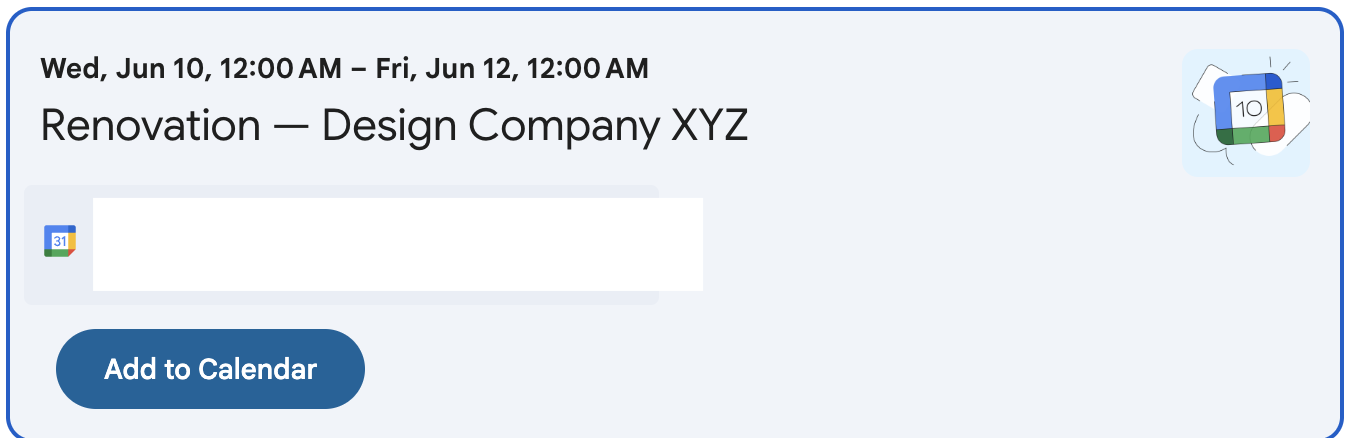
I wanted to make it look a little more polished so I added some color to this app. I also included more interactive elements like popup models and confetti for fun!